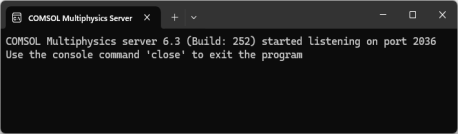
The COMSOL Multiphysics server is a single user server allowing multiple sessions by the same user, one session at a time. To start a COMSOL Multiphysics server, click COMSOL Multiphysics Server in the
COMSOL Launchers folder underneath your COMSOL Multiphysics folder on the Windows Start menu. When you start a COMSOL Multiphysics server from the Windows Start menu, a command window appears asking you for a username and password. You can use any username and password of your choice, it is only used for connecting a COMSOL Multiphysics client with a COMSOL Multiphysics server.
You can start a COMSOL Multiphysics client session by clicking COMSOL Multiphysics Client in the
COMSOL Launcher folder underneath your COMSOL Multiphysics folder on the Windows Start menu. You can also connect to a COMSOL Multiphysics server from the COMSOL Desktop by selecting
File >
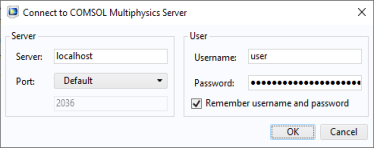
Connect to Server. When you start the Client, a Connect to Server window appears prompting you for a computer name (Server) where the COMSOL Multiphysics server is running, Port number, Username, and Password.