|
1
|
|
-
|
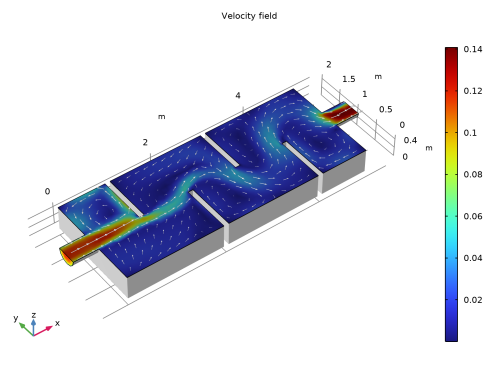
In the Title text area, type Velocity field.
|
|
-
|
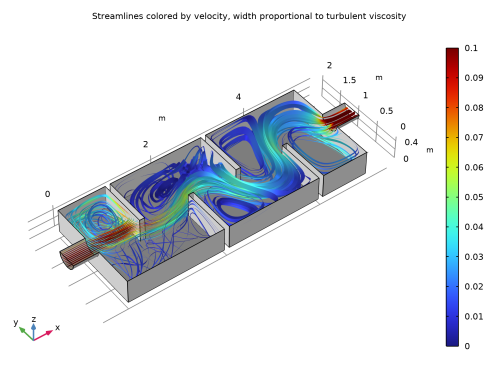
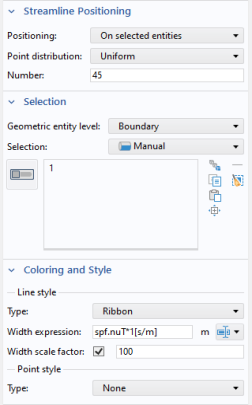
In the Width expression text field, type spf.nuT*1[s/m]. The width of the streamlines is set to the local value of the turbulent viscosity and the factor 1[s/m] is used to get the right dimension.
|
|
-
|
In the Title text area, type Streamlines colored by velocity. Width proportional to turbulent viscosity.
|
|
11
|
In the Label text field, type Streamlines.
|
 and choose Surface
  .
. node.
node. and choose Disable
  .
. .
. .
. to generate a surface plot of the velocity magnitude.
 .
.
 .
. .
.
 .
. and choose 3D Plot Group
  .
. and choose Paste Surface
  .
. .
.
 and choose Color Expression
  .
.
 .
. .
.