
|
|
|
|
ΔT
|
||
|
1.8·10-5 Pa·s
|
||
|
αp
|
||
|
10 m·s-2
|



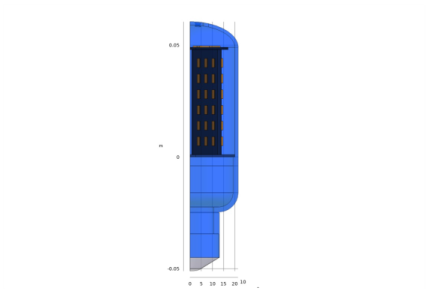
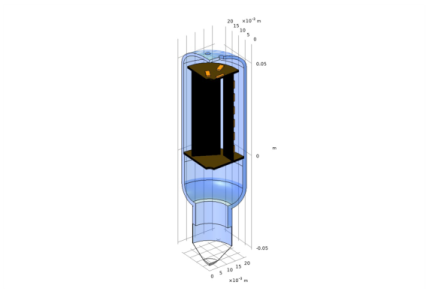
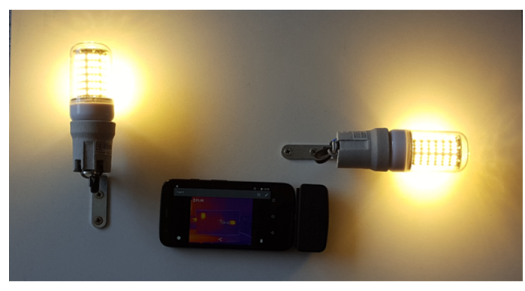
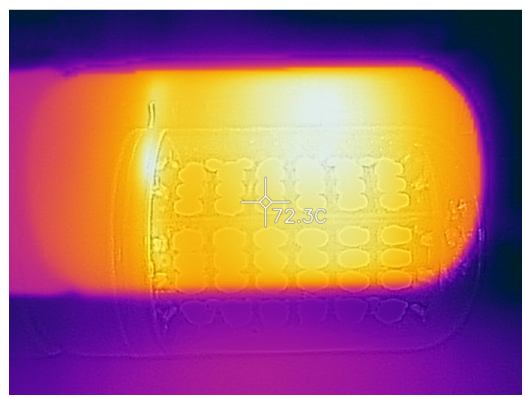
|
1
|
|
2
|
|
3
|
Click Add.
|
|
4
|
Click
 Study. Study. |
|
5
|
|
6
|
Click
 Done. Done. |
|
1
|
|
2
|
|
1
|
|
2
|
|
3
|
Click
 Browse. Browse. |
|
4
|
|
5
|
Click
 Import. Import. |
|
6
|
|
7
|
|
8
|
On the object imp1, select Boundary 44 only.
|
|
9
|
On the object imp1, select Boundary 261 only.
|
|
10
|
On the object imp1, select Boundary 43 only.
|
|
11
|
On the object imp1, select Boundary 41 only.
|
|
12
|
On the object imp1, select Boundary 42 only.
|
|
1
|
|
2
|
|
3
|
On the object imp1, select Domains 8–28 and 30–41 only.
|
|
1
|
|
2
|
|
3
|
|
4
|
On the object imp1, select Domain 1 only.
|
|
5
|
On the object imp1, select Domain 3 only.
|
|
6
|
|
7
|
On the object imp1, select Domains 4, 5, 7, and 29 only.
|
|
1
|
|
2
|
In the Settings window for Explicit Selection, type PCB Radiating Boundaries in the Label text field.
|
|
3
|
|
4
|
On the object imp1, select Boundaries 21, 49, 53, 82–87, 98, 126–131, 143, 169–174, 188, 189, and 249–260 only.
|
|
1
|
|
2
|
|
3
|
|
4
|
On the object imp1, select Boundary 13 only.
|
|
1
|
|
2
|
|
3
|
|
4
|
On the object imp1, select Boundaries 3, 44, and 261 only.
|
|
5
|
|
1
|
In the Model Builder window, under Component 1 (comp1)>Heat Transfer in Solids and Fluids (ht) click Fluid 1.
|
|
2
|
|
3
|
|
4
|
|
5
|
Click OK.
|
|
1
|
|
2
|
|
3
|
|
4
|
In the list, choose 2, 3 (hidden), 4, 5, 6, 7, 8, 9, 10, 11, 12, 13, 14, 15, 16, 17, 18, 19, 20, 21, 22, 23, 24, 25, 26, 27, 28, 29, 30, 31, 32, 33, 34, 35, 36, 37, 38, 39, 40, and 41.
|
|
5
|
|
1
|
|
2
|
|
3
|
|
4
|
|
5
|
In the tree, select Built-in>Air.
|
|
6
|
|
7
|
In the tree, select Built-in>Aluminum.
|
|
8
|
|
9
|
|
10
|
|
11
|
In the tree, select Material Library>Epoxies>Filled epoxy resin (X238)>Filled epoxy resin (X238) [solid].
|
|
12
|
|
13
|
|
1
|
|
2
|
|
1
|
|
2
|
|
3
|
In the Settings window for Material, in the Graphics window toolbar, click
 next to next to  View Unhidden, then choose View All. View Unhidden, then choose View All. |
|
1
|
|
2
|
|
3
|
|
1
|
|
2
|
|
1
|
In the Model Builder window, under Component 1 (comp1)>Materials click Filled epoxy resin (X238) [solid] (mat5).
|
|
2
|
|
3
|
|
4
|
|
1
|
|
3
|
|
4
|
|
5
|
|
6
|
|
1
|
|
2
|
|
3
|
Specify the u vector as
|
|
1
|
|
3
|
|
4
|
|
1
|
|
1
|
|
1
|
|
2
|
|
3
|
|
4
|
|
5
|
|
1
|
|
2
|
|
3
|
|
4
|
|
5
|
Locate the Surface-to-Ambient Radiation section. From the ε list, choose User defined. In the associated text field, type 0.9.
|
|
1
|
|
1
|
|
1
|
|
2
|
|
3
|
|
1
|
|
2
|
|
3
|
|
4
|
Click the Custom button.
|
|
5
|
|
1
|
|
2
|
|
3
|
|
1
|
|
2
|
|
3
|
Click the Custom button.
|
|
4
|
Click to collapse the Element Size Parameters section. Click to expand the Element Size Parameters section. Select the Minimum element size check box.
|
|
5
|
|
6
|
|
1
|
|
2
|
|
3
|
|
4
|
|
5
|
Click
 Plot. Plot. |
|
1
|
|
2
|
|
3
|
|
4
|
|
5
|
|
6
|
Click
 Plot. Plot. |
|
1
|
|
2
|
|
1
|
|
2
|
|
1
|
|
2
|
|
3
|
|
4
|
|
5
|
|
1
|
|
2
|
|
3
|
|
4
|
|
5
|
|
6
|
|
7
|
|
1
|
|
2
|
|
3
|
|
4
|
|
1
|
|
2
|
|
3
|
|
4
|
|
5
|
|
1
|
|
2
|
|
3
|
|
4
|
|
5
|
|
6
|


 next to


