You are viewing the documentation for an older COMSOL version. The latest version is available here.
PDF

SMA Connectorized Wilkinson Power Divider
Introduction
Resistive power dividers and T-junction power dividers are two conventional types of three-port power dividers. Such dividers are either lossy or not matched to the system reference impedance at all ports. In addition, isolation between two coupled ports is not guaranteed. The Wilkinson power divider outperforms both the lossless T-junction divider and the resistive divider and does not have the issues mentioned above. This example shows how to model such a device.
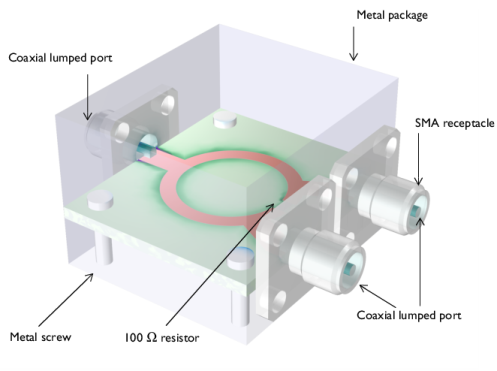
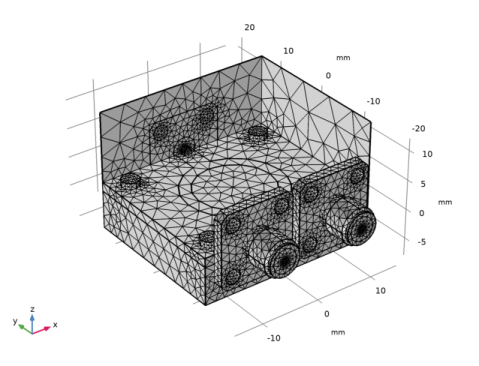
Figure 1: A Wilkinson power divider is fabricated on a 60 mil substrate. An SMA receptacle is added on each port and the circuit board is suspended in the metal package using screws.
Model Definition
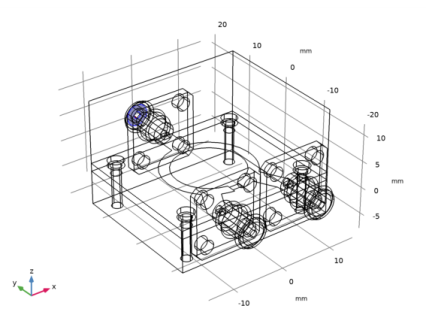
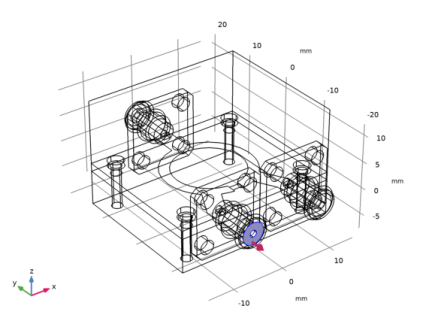
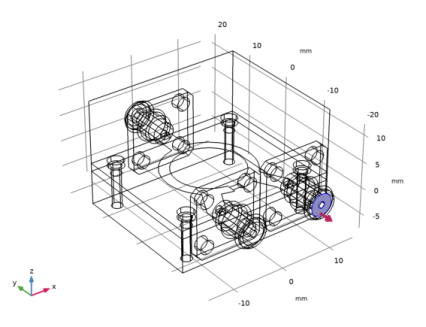
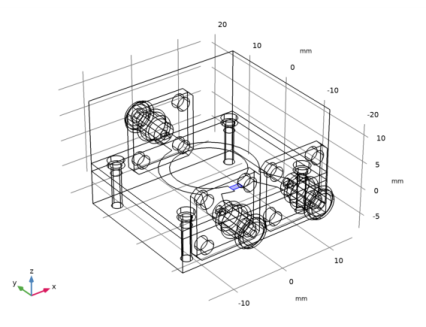
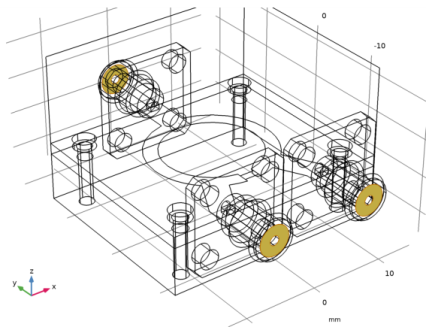
The Wilkinson power divider is a three-port device composed of 50 Ω and 70.7 Ω microstrip lines on a dielectric substrate with a ground plane and a 100 Ω resistor mounted between two ports. The model also includes a metal enclosure, screws, and SMA receptacles connected to each port representing a complete package of a power divider shown in Figure 1. Except for the microstrip lines and ground plane, model all the SMA receptacles, screws, and the metal package using perfect electric conductor (PEC) boundaries. The SMA receptacle and screw domains enclosed by these PEC boundaries are not part of the example analysis, so they are set to PEC by default. The microstrip lines and ground plane made of 1 oz copper layers are modeled using a transition boundary condition with 35 μm thickness to address lossy conductive surfaces due to finite copper conductivity. The relative dielectric constant, εr, of the 60 mil substrate is 3.38. The boundaries facing the dielectric-filled coaxial connector of the SMA receptacles are specified as coaxial lumped ports. The 100 Ω resistor is realized via a uniform lumped port with100 Ω characteristic impedance.
Results and Discussion
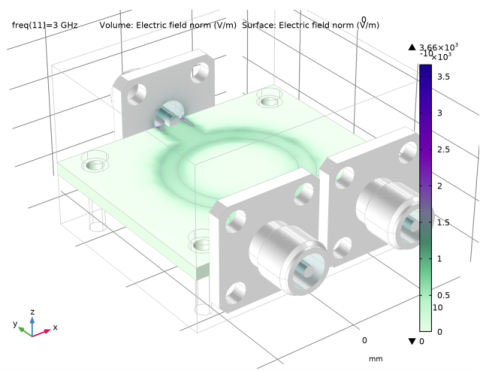
Figure 2 shows the symmetric E-field norm distribution on the top of the substrate. The input energy is equally coupled to each output port.
Figure 2: The E-field norm plot shows that the input is evenly split between the two output ports.
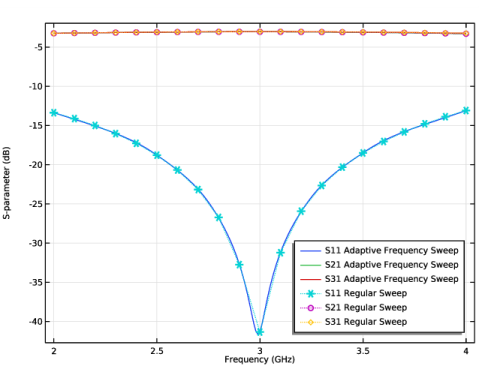
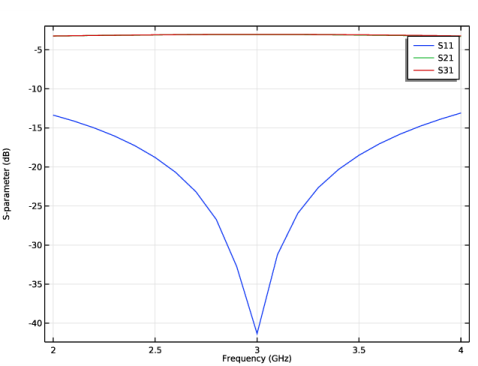
The S-parameters plotted in Figure 3 show the frequency response of the Wilkinson power divider. Good input impedance matching characteristics are observed and the coupled power at each output port is about 3 dB around 3 GHz.
Figure 3: The S-parameters show very good input matching at 3 GHz and evenly divided power at the two output ports.
References
1. D.M. Pozar, Microwave Engineering, John Wiley & Sons, 1998.
2. R.E. Collin, Foundation of Microwave Engineering, McGraw-Hill, 1992.
Application Library path: RF_Module/Couplers_and_Power_Dividers/wilkinson_power_divider
Modeling Instructions
From the File menu, choose New.
New
In the New window, click  Model Wizard.
Model Wizard
1
In the Model Wizard window, click  3D.
2
In the Select Physics tree, select Radio Frequency>Electromagnetic Waves, Frequency Domain (emw).
3
Click Add.
4
Click  Study.
5
In the Select Study tree, select General Studies>Frequency Domain.
6
Study 1
Step 1: Frequency Domain
1
In the Model Builder window, under Study 1 click Step 1: Frequency Domain.
2
In the Settings window for Frequency Domain, locate the Study Settings section.
3
In the Frequencies text field, type range(2[GHz],0.1[GHz],4[GHz]).
Global Definitions
Parameters 1
1
In the Model Builder window, under Global Definitions click Parameters 1.
2
In the Settings window for Parameters, locate the Parameters section.
3
Click  Load from File.
4
Geometry 1
1
In the Model Builder window, under Component 1 (comp1) click Geometry 1.
2
In the Settings window for Geometry, locate the Units section.
3
From the Length unit list, choose mm.
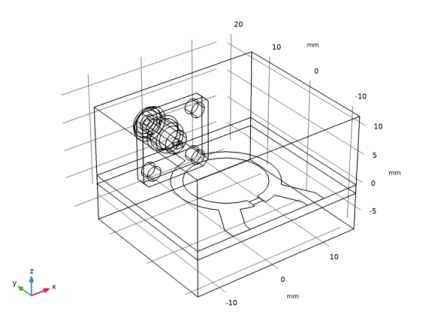
First, create the substrate.
Substrate
1
In the Geometry toolbar, click  Block.
2
In the Settings window for Block, type Substrate in the Label text field.
3
Locate the Size and Shape section. In the Width text field, type w_subs.
4
In the Depth text field, type l_subs.
5
In the Height text field, type 1.524.
6
Locate the Position section. From the Base list, choose Center.
7
In the z text field, type -0.762.
Add a block for the metal package.
Package
1
In the Geometry toolbar, click  Block.
2
In the Settings window for Block, type Package in the Label text field.
3
Locate the Size and Shape section. In the Width text field, type w_subs.
4
In the Depth text field, type l_subs.
5
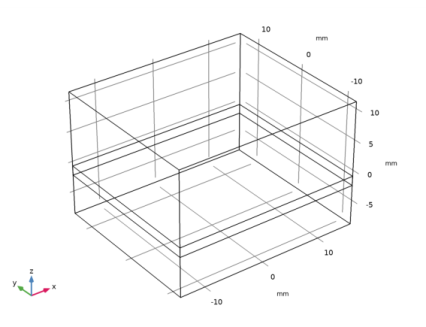
In the Height text field, type 20.
6
Locate the Position section. From the Base list, choose Center.
7
In the z text field, type 2.
8
Click  Build Selected.
9
Click the  Wireframe Rendering button in the Graphics toolbar.
Add a work plane for drawing the layout of the power divider.
Work Plane 1 (wp1)
1
In the Geometry toolbar, click  Work Plane.
2
In the Settings window for Work Plane, click  Show Work Plane.
Work Plane 1 (wp1)>Plane Geometry
In the Model Builder window, click Plane Geometry.
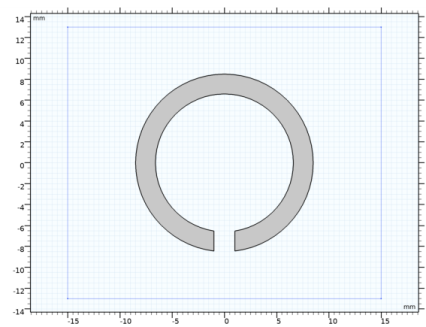
Add two circles to create the ring strip part.
Ring outer
1
In the Work Plane toolbar, click  Circle.
2
In the Settings window for Circle, type Ring outer in the Label text field.
3
Click the  Zoom Extents button in the Graphics toolbar.
4
Locate the Size and Shape section. In the Radius text field, type r_ring.
Ring inner
1
In the Work Plane toolbar, click  Circle.
2
In the Settings window for Circle, type Ring inner in the Label text field.
3
Locate the Size and Shape section. In the Radius text field, type r_ring-1.9.
Ring cut
1
In the Work Plane toolbar, click  Rectangle.
2
In the Settings window for Rectangle, type Ring cut in the Label text field.
3
Locate the Size and Shape section. In the Width text field, type 2.
4
In the Height text field, type 3.
5
Locate the Position section. In the xw text field, type -1.
6
In the yw text field, type -9.
Work Plane 1 (wp1)>Difference 1 (dif1)
1
In the Work Plane toolbar, click  Booleans and Partitions and choose Difference.
2
3
In the Settings window for Difference, locate the Difference section.
4
Find the Objects to subtract subsection. Select the  Activate Selection toggle button.
5
Select the objects c2 and r1 only.
6
Click  Build Selected.
Add a rectangle for the 100 ohm resistor.
Lumped element
1
In the Work Plane toolbar, click  Rectangle.
2
In the Settings window for Rectangle, type Lumped element in the Label text field.
3
Locate the Size and Shape section. In the Width text field, type 2.
4
Locate the Position section. In the xw text field, type -1.
5
In the yw text field, type -8.
Add rectangles for the 50 ohm microstrip feed lines.
Work Plane 1 (wp1)>Rectangle 3 (r3)
1
In the Work Plane toolbar, click  Rectangle.
2
In the Settings window for Rectangle, locate the Size and Shape section.
3
In the Width text field, type 3.2.
4
In the Height text field, type 5.
5
Locate the Position section. From the Base list, choose Center.
6
In the yw text field, type 10.5.
Work Plane 1 (wp1)>Rectangle 4 (r4)
1
In the Work Plane toolbar, click  Rectangle.
2
In the Settings window for Rectangle, locate the Size and Shape section.
3
In the Width text field, type 3.2.
4
In the Height text field, type 2.
5
Locate the Position section. In the xw text field, type -7.
6
From the Base list, choose Center.
7
In the yw text field, type -12.
Work Plane 1 (wp1)>Rectangle 5 (r5)
1
In the Work Plane toolbar, click  Rectangle.
2
In the Settings window for Rectangle, locate the Size and Shape section.
3
In the Width text field, type 3.2.
4
In the Height text field, type 6.
5
Locate the Position section. In the xw text field, type -8.6.
6
In the yw text field, type -11.
7
Locate the Rotation Angle section. In the Rotation text field, type -28.
Work Plane 1 (wp1)>Mirror 1 (mir1)
1
In the Work Plane toolbar, click  Transforms and choose Mirror.
2
Select the objects r4 and r5 only.
3
In the Settings window for Mirror, locate the Input section.
4
Select the Keep input objects check box.
Create a union of all objects except the small rectangle for the resistor (r2) to remove unnecessary boundaries.
Work Plane 1 (wp1)>Union 1 (uni1)
1
In the Work Plane toolbar, click  Booleans and Partitions and choose Union.
2
Select the objects dif1, mir1(1), mir1(2), r3, r4, and r5 only.
3
In the Settings window for Union, locate the Union section.
4
Clear the Keep interior boundaries check box.
5
In the Work Plane toolbar, click  Build All.
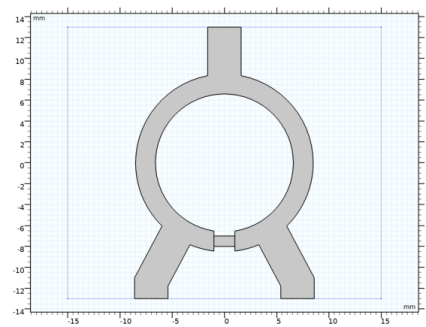
The power divider layout drawn on the substrate.
Add a coaxial SMA connector from the part library.
Part Libraries
1
In the Home toolbar, click  Windows and choose Part Libraries.
2
In the Model Builder window, click Geometry 1.
3
In the Part Libraries window, select RF Module>Connectors>connector_sma_flange4 in the tree.
4
Click  Add to Geometry.
Geometry 1
SMA Connector, Square Flange with Four Holes 1 (pi1)
1
In the Model Builder window, under Component 1 (comp1)>Geometry 1 click SMA Connector, Square Flange with Four Holes 1 (pi1).
2
In the Settings window for Part Instance, locate the Input Parameters section.
3
4
Locate the Position and Orientation of Output section. Find the Displacement subsection. In the yw text field, type l_subs/2.
5
In the zw text field, type 0.635.
6
Find the Rotation subsection. In the Rotation angle text field, type -90.
7
Click to expand the Domain Selections section. In the table, enter the following settings:
8
Click to expand the Boundary Selections section. In the table, enter the following settings:
9
Click  Build Selected.
Add two more SMA connectors.
Copy 1 (copy1)
1
In the Geometry toolbar, click  Transforms and choose Copy.
2
3
In the Settings window for Copy, locate the Displacement section.
4
In the x text field, type -7,7.
Rotate 1 (rot1)
1
In the Geometry toolbar, click  Transforms and choose Rotate.
2
Select the objects copy1(1) and copy1(2) only.
3
In the Settings window for Rotate, locate the Rotation section.
4
In the Angle text field, type 180.
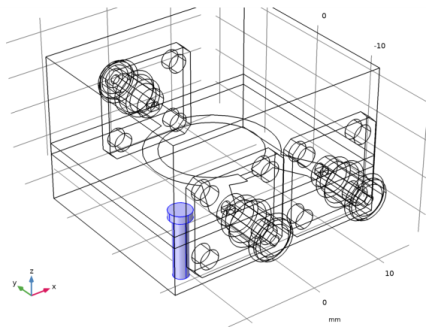
Screw
1
In the Geometry toolbar, click  Cylinder.
Add a cylinder for the metal screw.
2
In the Model Builder window, click Cylinder 1 (cyl1).
3
In the Settings window for Cylinder, type Screw in the Label text field.
4
Locate the Size and Shape section. In the Height text field, type 8.
5
Locate the Position section. In the x text field, type -12.
6
In the y text field, type -10.
7
In the z text field, type -8.
Add a cylinder for the metal screw head.
Screw head
1
In the Geometry toolbar, click  Cylinder.
2
In the Settings window for Cylinder, type Screw head in the Label text field.
3
Locate the Size and Shape section. In the Radius text field, type 1.5.
4
Locate the Position section. In the x text field, type -12.
5
In the y text field, type -10.
Union 1 (uni1)
1
In the Geometry toolbar, click  Booleans and Partitions and choose Union.
2
Select the objects cyl1 and cyl2 only.
3
In the Settings window for Union, locate the Union section.
4
Clear the Keep interior boundaries check box.
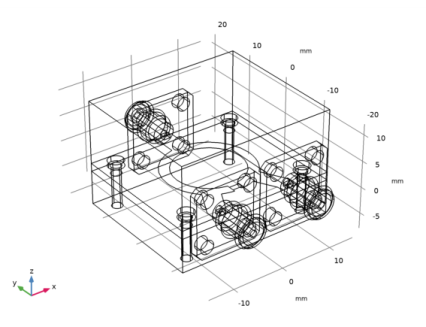
Array 1 (arr1)
1
In the Geometry toolbar, click  Transforms and choose Array.
2
3
In the Settings window for Array, locate the Size section.
4
In the x size text field, type 2.
5
In the y size text field, type 2.
6
Locate the Displacement section. In the x text field, type 24.
7
In the y text field, type 20.
The domain inside the screw body is not part of the model analysis.
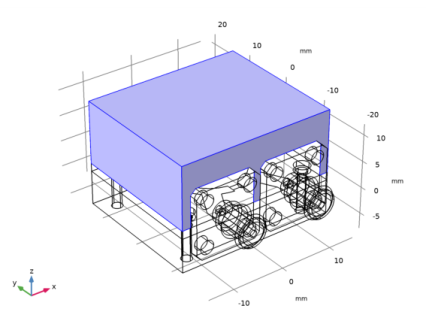
Difference 1 (dif1)
1
In the Geometry toolbar, click  Booleans and Partitions and choose Difference.
2
Select the objects blk1 and blk2 only.
3
In the Settings window for Difference, locate the Difference section.
4
Find the Objects to subtract subsection. Select the  Activate Selection toggle button.
5
Select the objects arr1(1,1,1), arr1(1,2,1), arr1(2,1,1), and arr1(2,2,1) only.
6
Click  Build All Objects.
Definitions
View 1
Suppress some boundaries to get a view of the interior while setting the physics and mesh.
Hide for Physics 1
1
In the Model Builder window, expand the Component 1 (comp1)>Definitions node.
2
Right-click View 1 and choose Hide for Physics.
3
In the Settings window for Hide for Physics, locate the Geometric Entity Selection section.
4
From the Geometric entity level list, choose Boundary.
5
Now, set up the physics.
Electromagnetic Waves, Frequency Domain (emw)
Perfect Electric Conductor 1
The Perfect Electric Conductor applies by default to all exterior boundaries. After restricting the Electromagnetics Waves, Frequency Domain interface to the model domain, these outer boundaries include the metal screws. Add a Transition Boundary Condition to the microstrip line and the substrate ground plane.
Transition Boundary Condition 1
1
In the Model Builder window, right-click Electromagnetic Waves, Frequency Domain (emw) and choose Transition Boundary Condition.
2
3
In the Settings window for Transition Boundary Condition, locate the Transition Boundary Condition section.
4
In the d text field, type 35[um].
Perfect Electric Conductor 2
1
In the Physics toolbar, click  Boundaries and choose Perfect Electric Conductor.
2
In the Settings window for Perfect Electric Conductor, locate the Boundary Selection section.
3
From the Selection list, choose Conductive surface (SMA Connector, Square Flange with Four Holes 1).
Proceed with the Lumped Port conditions.
Lumped Port 1
1
In the Physics toolbar, click  Boundaries and choose Lumped Port.
2
3
In the Settings window for Lumped Port, locate the Lumped Port Properties section.
4
From the Type of lumped port list, choose Coaxial.
For the first port, wave excitation is on by default.
Lumped Port 2
1
In the Physics toolbar, click  Boundaries and choose Lumped Port.
2
3
In the Settings window for Lumped Port, locate the Lumped Port Properties section.
4
From the Type of lumped port list, choose Coaxial.
Lumped Port 3
1
In the Physics toolbar, click  Boundaries and choose Lumped Port.
2
3
In the Settings window for Lumped Port, locate the Lumped Port Properties section.
4
From the Type of lumped port list, choose Coaxial.
Add a lumped element for the 100Ω resistor.
Lumped Element 1
1
In the Physics toolbar, click  Boundaries and choose Lumped Element.
2
3
In the Settings window for Lumped Element, locate the Settings section.
4
In the Zelement text field, type 100[ohm].
Materials
Next, assign material properties. First, specify air for all domains.
Add Material
1
In the Home toolbar, click  Add Material to open the Add Material window.
2
Go to the Add Material window.
3
4
Click Add to Component in the window toolbar.
5
In the tree, select Built-in>Copper.
6
Click Add to Component in the window toolbar.
7
In the Home toolbar, click  Add Material to close the Add Material window.
Materials
Copper (mat2)
1
In the Settings window for Material, locate the Geometric Entity Selection section.
2
From the Geometric entity level list, choose Boundary.
3
Override the material for the substrate domains with a dielectric material of εr = 3.38.
Substrate
1
In the Model Builder window, right-click Materials and choose Blank Material.
2
In the Settings window for Material, type Substrate in the Label text field.
3
4
Locate the Material Contents section. In the table, enter the following settings:
Similarly, override the coax dielectric domains with a material of εr = 2.1.
PTFE
1
Right-click Materials and choose Blank Material.
2
In the Settings window for Material, type PTFE in the Label text field.
3
Locate the Geometric Entity Selection section. From the Selection list, choose Dielectric (SMA Connector, Square Flange with Four Holes 1).
4
Locate the Material Contents section. In the table, enter the following settings:
Mesh 1
In the Model Builder window, under Component 1 (comp1) right-click Mesh 1 and choose Build All.
Study 1
In the Home toolbar, click  Compute.
Results
Electric Field (emw)
The default plot shows the E-field norm distribution.
1
In the Settings window for 3D Plot Group, locate the Data section.
2
From the Parameter value (freq (GHz)) list, choose 3.
Multislice
1
In the Model Builder window, expand the Electric Field (emw) node.
2
Right-click Multislice and choose Disable.
Volume 1
1
In the Model Builder window, right-click Electric Field (emw) and choose Volume.
2
In the Settings window for Volume, locate the Coloring and Style section.
3
From the Color table list, choose AuroraBorealis.
Selection 1
1
Right-click Volume 1 and choose Selection.
2
Surface 1
1
In the Model Builder window, right-click Electric Field (emw) and choose Surface.
2
In the Settings window for Surface, locate the Coloring and Style section.
3
From the Color table list, choose AuroraAustralis.
4
Clear the Color legend check box.
Selection 1
1
Right-click Surface 1 and choose Selection.
2
In the Settings window for Selection, locate the Selection section.
3
From the Selection list, choose Conductive surface (SMA Connector, Square Flange with Four Holes 1).
Electric Field (emw)
1
In the Model Builder window, click Electric Field (emw).
2
In the Settings window for 3D Plot Group, locate the Plot Settings section.
3
From the Color list, choose Gray.
The resulting plot shows the E-field equally split between Port 2 and Port 3. Compare with Figure 2.
S-parameter (emw)
The reproduced plot shows the calculated S-parameters. Compare with Figure 3.
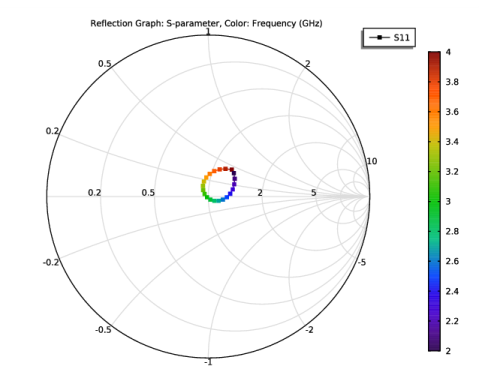
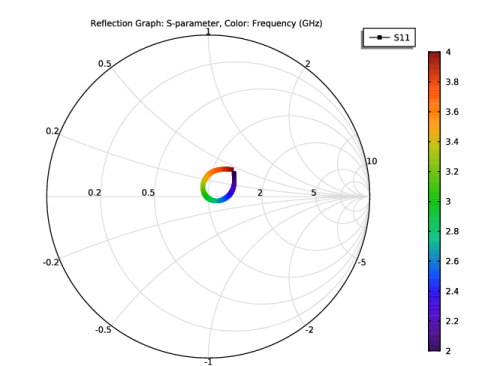
Smith Plot (emw)
Analyze the same model with a much finer frequency resolution using Adaptive Frequency Sweep based on asymptotic waveform evaluation (AWE). When a device presents a slowly varying frequency response, the AWE method provides a faster solution time when running the simulation on many frequency points. The following example with the Adaptive Frequency Sweep can be computed 10 times faster than regular Frequency Domain sweeps with a same finer frequency resolution.
Electromagnetic Waves, Frequency Domain (emw)
Lumped Port 1
1
In the Model Builder window, under Component 1 (comp1)>Electromagnetic Waves, Frequency Domain (emw) click Lumped Port 1.
2
In the Settings window for Lumped Port, locate the Boundary Selection section.
3
Click  Create Selection.
4
In the Create Selection dialog box, type Lumped port 1 in the Selection name text field.
5
Lumped Port 2
1
In the Model Builder window, click Lumped Port 2.
2
In the Settings window for Lumped Port, locate the Boundary Selection section.
3
Click  Create Selection.
4
In the Create Selection dialog box, type Lumped port 2 in the Selection name text field.
5
Lumped Port 3
1
In the Model Builder window, click Lumped Port 3.
2
In the Settings window for Lumped Port, locate the Boundary Selection section.
3
Click  Create Selection.
4
In the Create Selection dialog box, type Lumped port 3 in the Selection name text field.
5
Add Study
1
In the Home toolbar, click  Add Study to open the Add Study window.
2
Go to the Add Study window.
3
Find the Studies subsection. In the Select Study tree, select Preset Studies for Selected Physics Interfaces>Adaptive Frequency Sweep.
4
Click Add Study in the window toolbar.
5
In the Home toolbar, click  Add Study to close the Add Study window.
Study 2
Step 1: Adaptive Frequency Sweep
1
In the Settings window for Adaptive Frequency Sweep, locate the Study Settings section.
2
In the Frequencies text field, type range(2[GHz],10[MHz],4[GHz]).
Use a five times finer frequency resolution.
3
From the AWE expression type list, choose User controlled.
4
A slowly varying scalar value curve works well for AWE expressions. Use abs(comp1.emw.S11) for this model.
5
In the Relative tolerance text field, type 0.1.
A moderate Relative tolerance value may expedite the computation by sacrificing accuracy. For rapid prototyping, it is worthwhile to try.
Because such a fine frequency step generates a memory-intensive solution, the model file size will increase tremendously when it is saved. When only the frequency response of port related variables are of interest, it is not necessary to store all of the field solutions. By selecting the Store fields in output check box in the Values of Dependent Variables section, we can control the part of the model on which the computed solution is saved. We only add the selection containing these boundaries where the port variables are calculated. The lumped port size is typically very small compared to the entire modeling domain, and the saved file size with the fine frequency step is more or less that of the regular discrete frequency sweep model when only the solutions on the port boundaries are stored.
6
Locate the Values of Dependent Variables section. Find the Store fields in output subsection. From the Settings list, choose For selections.
7
Under Selections, click  Add.
8
In the Add dialog box, in the Selections list, choose Lumped port 1, Lumped port 2, and Lumped port 3.
9
It is necessary to include the lumped port boundaries to calculate S-parameters. By choosing only the lumped port boundaries for Store fields in output settings, it is possible to reduce the size of a model file a lot.
10
In the Home toolbar, click  Compute.
Results
Multislice
1
In the Model Builder window, expand the Electric Field (emw) 1 node.
2
Right-click Multislice and choose Delete.
Surface 1
In the Model Builder window, right-click Electric Field (emw) 1 and choose Surface.
Selection 1
1
In the Model Builder window, right-click Surface 1 and choose Selection.
2
Only the solutions on the lumped port boundaries are available.
3
In the Electric Field (emw) 1 toolbar, click  Plot.
S-parameter (emw) 1
1
In the Model Builder window, click S-parameter (emw) 1.
2
In the Settings window for 1D Plot Group, locate the Legend section.
3
From the Position list, choose Lower right.
Global 1
1
In the Model Builder window, expand the S-parameter (emw) 1 node, then click Global 1.
2
In the Settings window for Global, locate the y-Axis Data section.
3
Global 2
1
Right-click Results>S-parameter (emw) 1>Global 1 and choose Duplicate.
2
In the Settings window for Global, locate the y-Axis Data section.
3
4
Locate the Data section. From the Dataset list, choose Study 1/Solution 1 (sol1).
5
Click to expand the Coloring and Style section. Find the Line style subsection. From the Line list, choose Dotted.
6
Find the Line markers subsection. From the Marker list, choose Cycle.
7
From the Positioning list, choose In data points.
8
In the S-parameter (emw) 1 toolbar, click  Plot.
Smith Plot (emw) 1